
What Is opBNB Wallet and How to Use It

Table of Contents
opBNB is a Layer 2 scaling solution built on top of the BNB Chain using the Optimism OP Stack. It offers faster and cheaper blockchain transactions while staying compatible with Ethereum-based tools and applications.
To use opBNB — whether you’re swapping tokens, playing games, using NFTs, or exploring DeFi — you’ll need a crypto wallet that can connect to the opBNB network. This is often referred to as an “opBNB wallet.” In this beginner-friendly guide, you’ll learn what an opBNB wallet is, how it works, and how to set one up.
For more insights and updates on the latest trends in cryptocurrency, be sure to check out our Nifty Finances platform, which serves as your gateway to smarter financial decisions in the digital economy.
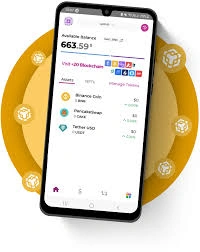
What Is opBNB Wallet?
An opBNB wallet is any crypto wallet that supports the opBNB network. It’s not a special app or separate wallet, but rather an existing wallet (like MetaMask or Trust Wallet) that’s configured to connect to opBNB.
By adding the opBNB network settings (called RPC details) to your wallet, you enable it to interact with opBNB-based apps and assets. Once added, your wallet can send and receive tokens, pay gas fees with BNB, and access dApps built on the opBNB network.
How Does an opBNB Wallet Work?
At its core, a crypto wallet:
- Stores your private keys, which are needed to sign transactions securely.
- Connects you to blockchain networks, like opBNB, through a browser or mobile app interface.
- Lets you manage your assets, such as tokens and NFTs.
- Enables interaction with dApps, including decentralized exchanges (DEXs), NFT marketplaces, and DeFi platforms on opBNB.
When your wallet is set to the opBNB network, any action you take — from swapping tokens to minting NFTs — will occur on the opBNB blockchain.
How to Set Up an opBNB Wallet (Step-by-Step)
Here’s how to set up MetaMask as your opBNB wallet:
- Install MetaMask
- Download MetaMask from the official website or app store.
- Create a new wallet and securely save your seed phrase.
- Add the opBNB Network to MetaMask
You can add the opBNB network manually:- Open MetaMask and click the network dropdown at the top.
- Select “Add network”, then enter the following:
- Network Name: opBNB Mainnet
- RPC URL:
https://opbnb-mainnet-rpc.bnbchain.org - Chain ID:
204 - Currency Symbol:
BNB - Block Explorer:
https://mainnet.opbnbscan.com
- Connect your wallet, search for opBNB Mainnet, and click “Add to MetaMask.”
- Fund Your Wallet with BNB
You’ll need BNB on the opBNB network to pay gas fees.- First, buy BNB from an exchange like Binance or KuCoin.
- Withdraw it to your MetaMask wallet on BNB Smart Chain (BSC).
- Use the opBNB bridge to send BNB from BSC to opBNB.
Popular Wallets That Support opBNB
Several wallets are compatible with opBNB:
- MetaMask – A popular browser and mobile wallet that supports adding custom networks.
- Trust Wallet – A mobile-friendly wallet that supports multiple blockchains, including opBNB.
- Rabby Wallet – An advanced browser wallet for EVM chains with automatic network switching.
- SafePal (optional) – A hardware and mobile wallet that supports BNB Chain and opBNB.
Choose the one that fits your needs, but always make sure to download from official sources.
Tips for Using Your opBNB Wallet
- Double-check RPC settings — Only use network details from trusted or official sources.
- Back up your seed phrase — Store it offline in a secure place. Never share it with anyone.
- Avoid scams and fake apps — Only install wallets and apps from official websites or app stores.
- Confirm you’re on the opBNB network before sending or receiving tokens to avoid losing funds.
With your opBNB wallet set up, you’re ready to explore a faster, cheaper Layer 2 blockchain built on BNB Chain. Whether you’re into DeFi, NFTs, or blockchain gaming, opBNB opens up a world of opportunity with lower fees and a smoother experience.