
How to Use Dexlab

Table of Contents
Dexlab is a decentralized trading and token management platform built on the Solana ecosystem. Many users are interested in learning how to use its tools for token trading, analytics, and token creation. This guide is for informational purposes only and not financial advice. Always Do Your Own Research (DYOR) before interacting with any decentralized platform.
For more insights and updates on the latest cryptocurrency trends, be sure to check out our Nifty Finances platform, your gateway to smarter financial decisions in the digital economy.
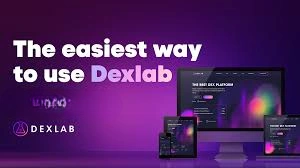
What Is Dexlab?
Dexlab is a decentralized finance (DeFi) interface focused on trading and token services on the Solana network. Instead of holding user funds, it connects to user wallets and lets them interact with on-chain markets and tools.
The platform aims to combine trading functions with token management features. This can include market discovery, charting, and launch support for new tokens. Because it operates on Solana, transactions are typically processed on-chain and depend on network conditions and wallet confirmations.
How to Use Dexlab
Dexlab provides a browser-based interface where users can connect a Solana-compatible wallet and access decentralized trading tools. It is designed to support token swaps, order-book style trading, token analytics, and token launch utilities.
At a high level, users typically:
- Connect a Solana wallet
- Browse token pairs and market data
- Place buy or sell orders
- Review charts and liquidity information
- Access token creation or launch tools (where available)
All actions are performed directly through a connected wallet rather than a centralized account.
Key Features of Dexlab
Dexlab commonly groups its functionality into trading, analytics, and token tooling.
Key areas include:
- Order-book-based token trading
- Token pair discovery and market listings
- Price charts and historical data views
- Liquidity and volume indicators
- Token creation or launch support tools
- Portfolio-style wallet views (in some versions)
Feature availability may change over time as the platform evolves.
Setting Up a Compatible Wallet
Before using Dexlab, you need a Solana-compatible wallet. These are browser extensions or mobile wallets that support Solana tokens and transactions.
Common wallet types include:
- Browser extension wallets
- Mobile Solana wallets
- Hardware wallets with Solana support
After installing a wallet, users typically create a new wallet or import an existing one using a recovery phrase. You will also need a small amount of SOL in the wallet to cover network transaction fees.
Connecting Your Wallet to Dexlab
Connecting a wallet is usually the first step when opening the Dexlab interface.
Typical connection flow:
- Open the Dexlab web app
- Select the Connect Wallet button
- Choose your wallet provider from the list
- Approve the connection request in your wallet popup
- Confirm the wallet address appears in the interface
You remain in control of approvals. No transaction is executed unless you confirm it in your wallet.
Exploring the Trading Interface
The trading interface usually includes several standard components found on decentralized exchanges.
You will often see:
- A token pair selector
- A price chart with time-frame options
- An order book showing buy and sell orders
- A recent trades feed
- Buy and sell panels for order entry
Users can switch between token pairs and adjust chart views to examine price behavior and activity levels.
Placing Trades
Trading on Dexlab generally follows an order-based model rather than instant swaps only.
Basic order types may include:
- Limit orders — set a specific buy or sell price
- Market-style orders — execute near current prices (if supported)
Typical steps:
- Choose a token pair
- Select buy or sell
- Enter amount and price (if limit order)
- Review estimated totals and fees
- Approve the transaction in your wallet
Orders remain open until filled or canceled.
Using Token and Launch Tools
Dexlab has offered token-related utilities beyond trading. Depending on the current version, this can include tools that help users create or configure Solana-based tokens.
These tools may allow:
- Token mint setup
- Metadata configuration
- Initial liquidity preparation
- Launch interface support
Token creation involves technical and legal considerations, so users should research requirements carefully before proceeding.
Dexlab is a Solana-based decentralized platform that combines trading, analytics, and token management tools within a single interface. Users connect a compatible wallet, explore markets, and submit transactions directly on-chain.
Because decentralized trading carries technical and financial risks, it is important to proceed carefully, verify details independently, and DYOR before making any decisions.
[…] is a decentralized exchange-style interface and token toolkit focused on Solana-based assets. It provides order-book trading, token […]
[…] is a decentralized exchange-style interface and token toolset focused on Solana-based assets. It provides order-book trading, token […]