
How to Trade on Dexlab

Table of Contents
Dexlab is a decentralized trading platform built on the Solana ecosystem. Many users want to understand how token trading works on the platform and what steps are involved before placing their first trade. This article is for informational purposes only and does not provide financial advice. Always Do Your Own Research (DYOR) before trading any digital assets.
For more insights and updates on the latest cryptocurrency trends, be sure to check out our Nifty Finances platform, your gateway to smarter financial decisions in the digital economy.
What Is Dexlab?
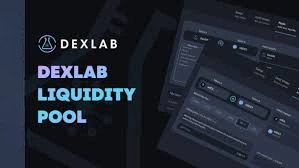
Dexlab is a decentralized exchange-style interface and token toolset focused on Solana-based assets. It provides order-book trading, token discovery, and market data tools through a web application.
Rather than acting as a custodian, Dexlab connects to user wallets and submits transactions to the Solana network. This structure gives users direct control over approvals and balances while interacting with decentralized markets.
How Decentralized Trading Works
Decentralized trading platforms differ from centralized exchanges in how orders and funds are handled. Users do not open accounts or deposit assets into an exchange wallet. Instead, trades are executed through blockchain transactions.
Core characteristics include:
- Users keep control of private keys
- Orders are matched through on-chain or protocol-based systems
- Each trade requires wallet approval
- Transactions are recorded on the blockchain
This model increases user control but also requires more responsibility for accuracy and security.
How to Trade on Dexlab
Trading on Dexlab is done through a decentralized interface connected directly to your wallet. Instead of depositing funds into a centralized account, you keep custody of your tokens and approve each trade yourself.
At a high level, the trading flow usually looks like this:
- Connect a compatible Solana wallet
- Choose a token trading pair
- Review market data and order book activity
- Place a buy or sell order
- Confirm the transaction in your wallet
All trades are processed on-chain and depend on network confirmation.
Setting Up a Compatible Solana Wallet
Before trading, you need a wallet that supports Solana tokens and decentralized applications. Wallets are typically available as browser extensions or mobile apps.
General preparation steps:
- Install a Solana-compatible wallet
- Create or import a wallet using a recovery phrase
- Secure your backup phrase offline
- Fund the wallet with some SOL for network fees
Without SOL in the wallet, transactions cannot be processed.
Connecting Your Wallet to Dexlab
Dexlab uses wallet connections instead of usernames and passwords. Connection is usually handled through a built-in wallet button.
Typical steps include:
- Open the Dexlab trading interface
- Click Connect Wallet
- Select your wallet provider
- Approve the connection request
- Verify your wallet address appears on screen
This connection allows the platform to request transaction approvals, but it cannot move funds without your confirmation.
Finding a Trading Pair
Trading happens between token pairs, such as TOKEN/SOL or TOKEN/USDC-style markets. You must select a pair before placing an order.
Users generally find pairs by:
- Using the pair search bar
- Browsing listed markets
- Pasting a token mint address
- Checking volume or activity indicators
Always verify token identifiers carefully to avoid selecting similarly named assets.
Understanding the Trading Interface
The Dexlab trading screen is typically divided into several information panels.
Common components include:
- A price chart with selectable timeframes
- An order book showing open buy and sell orders
- A recent trades list
- Buy and sell order entry panels
- Pair and market selectors
Reviewing these sections helps users understand current pricing and liquidity before submitting orders.
Placing Buy and Sell Orders
Dexlab commonly supports order-book trading with limit orders, and sometimes market-style execution depending on liquidity.
Basic order types:
- Limit order: You set the exact price you want to buy or sell at
- Market-style order: Executes near the best available prices (if supported)
Basic order steps:
- Choose buy or sell
- Enter price and amount
- Review totals and fees
- Submit the order
- Approve in your wallet
Unfilled limit orders may remain open until matched or canceled.
Transaction Confirmation and Settlement
After you approve a trade, the transaction is broadcast to the Solana network. Validators process and confirm it on-chain.
You can usually:
- Track confirmation status in your wallet
- View the transaction ID on a Solana explorer
- See the balances update after settlement
Network speed and fees depend on current Solana conditions.
Trading on Dexlab involves connecting a Solana wallet, selecting a trading pair, reviewing market data, and submitting on-chain orders. The process gives users direct control but requires careful verification at each step.
Because decentralized trading involves technical and market risks, take time to understand each action and DYOR before placing trades.
[…] browser-based interface where users can connect a Solana-compatible wallet and access decentralized trading tools. It is designed to support token swaps, order-book style trading, token analytics, and token launch […]