
How to Buy Bitcoin With Wirex

Table of Contents
Wirex allows users to buy, hold, and manage cryptocurrencies directly within its app. For beginners, understanding how to purchase Bitcoin through the platform can feel complex at first. This guide explains the process in simple terms. It is for informational and not financial advice. Before making any transaction, review the platform’s fees, exchange rates, and terms within the app to ensure you understand the costs involved.
For more insights and updates on the latest cryptocurrency trends, be sure to check out our Nifty Finances platform, your gateway to smarter financial decisions in the digital economy.
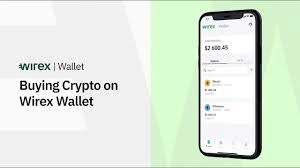
What Is Wirex?
Wirex is a financial technology platform that combines cryptocurrency services with traditional currency accounts. Users can hold multiple fiat currencies and digital assets in one place. The app also provides exchange functionality, allowing users to convert between supported currencies.
Depending on the region, users may also have access to a linked payment card for spending. Features, supported assets, and limits can vary, so it is important to check the app for current details.
What Is Bitcoin?
Bitcoin is a decentralized digital currency that operates on a public blockchain network. It was designed to enable peer-to-peer transactions without relying on a central authority such as a bank.
Bitcoin transactions are recorded on a distributed ledger known as the blockchain. Users can store Bitcoin in digital wallets, send it to others, or exchange it for other currencies. Its value can fluctuate based on market supply and demand.
How to Buy Bitcoin With Wirex
Buying Bitcoin with Wirex generally involves four main steps:
- Create and verify your account.
- Fund your Wirex balance using a supported payment method.
- Select Bitcoin (BTC) in the app.
- Confirm the purchase after reviewing the exchange rate and fees.
The exact steps and available payment options may vary depending on your location and account status.
Creating and Verifying a Wirex Account
To buy Bitcoin with Wirex, you must first create an account. This typically involves:
- Downloading the Wirex app or visiting the official website.
- Registering with your email address and creating a password.
- Confirming your email.
Most users will also need to complete identity verification, often referred to as Know Your Customer (KYC). This may require submitting personal information and uploading identification documents. Verification helps the platform comply with financial regulations and may unlock higher transaction limits.
Funding Your Wirex Account
Before purchasing Bitcoin, you need to add funds to your account. Common funding methods may include:
- Bank transfer: Sending fiat currency from your bank account to your Wirex account.
- Card payments: Using a debit or credit card, if supported in your region.
- Crypto deposits: Transferring cryptocurrency from an external wallet.
Processing times and fees can differ depending on the funding method. Always review the estimated processing time and any applicable charges before confirming a deposit.
Placing a Bitcoin Purchase Order
Once your account is funded:
- Log in to the Wirex app.
- Navigate to the exchange or “Buy” section.
- Select Bitcoin (BTC) as the asset you wish to purchase.
- Choose the currency you want to use for payment (for example, EUR or GBP).
- Enter the amount you want to buy.
- Review the displayed exchange rate and any associated fees.
- Confirm the transaction.
After confirmation, the purchased Bitcoin should appear in your crypto balance within the app.
Fees and Exchange Rates
When buying Bitcoin, it is important to understand the total cost of the transaction. This may include:
- Trading spreads: The difference between the buy and sell price.
- Transaction fees: A fixed or percentage-based charge applied to the purchase.
- Currency conversion costs: If you are converting from one fiat currency to another before buying BTC.
Reviewing the transaction summary before confirming helps ensure there are no surprises.
Storing or Transferring Your Bitcoin
After purchasing Bitcoin, you can keep it in your Wirex account or transfer it to an external wallet. Holding Bitcoin within the app allows you to manage it alongside other currencies.
If you prefer to move it elsewhere, you can send it to another wallet address. Keep in mind that blockchain transfers usually involve network fees and are generally irreversible, so accuracy is essential.
Buying Bitcoin with Wirex involves setting up and verifying your account, funding it with a supported method, and completing a purchase within the app. While the process is straightforward, understanding fees, exchange rates, and platform terms is important before proceeding.
Cryptocurrency markets can be volatile, and policies may change over time. Always review official guidance within the Wirex app and conduct your own research before purchasing Bitcoin or any other digital asset.
[…] withdrawals involve sending digital assets (such as Bitcoin or Ethereum) from your Wirex wallet to an external wallet address. These […]