
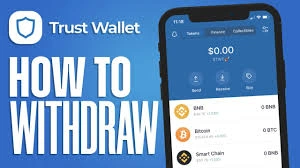
How to Withdraw KickToken from Trust Wallet

Table of Contents
KickToken (KICK) is a cryptocurrency token that operates on a blockchain network. Some users who hold KICK in Trust Wallet may want to understand how withdrawing tokens works. Trust Wallet is a popular self-custody crypto wallet that gives users direct control over their assets. This article explains the withdrawal process in simple terms for educational purposes only. It is not financial advice. As with any crypto transaction, always Do Your Own Research (DYOR) before moving funds.
For more insights and updates on the latest cryptocurrency trends, be sure to check out our Nifty Finances platform, your gateway to smarter financial decisions in the digital economy.
What Is KickToken?
KickToken (KICK) is a digital token designed for use within the Kick ecosystem. Like many blockchain-based tokens, it may serve functions such as platform access, participation in services, or trading on supported markets.
KICK exists on a specific blockchain network. This detail is important because tokens can only be sent and received on compatible networks. Sending a token to an unsupported network can result in lost funds.
What Is Trust Wallet?
Trust Wallet is a self-custody wallet, meaning users control their private keys and recovery phrases. It supports multiple blockchains and allows users to:
- Store cryptocurrencies and tokens
- Send and receive digital assets
- Connect to decentralized applications
- Swap certain tokens within the app
Because it is non-custodial, Trust Wallet does not hold funds on behalf of users. All transactions are signed and approved directly by the wallet owner.
Understanding What “Withdraw” Means
The term “withdraw” can have different meanings in crypto. It is helpful to distinguish between related actions:
- Sending tokens: Transferring crypto from one wallet address to another.
- Selling tokens: Swapping a token for another cryptocurrency, often using a decentralized exchange.
- Cashing out: Converting crypto into traditional currency, usually through a centralized exchange.
When withdrawing from Trust Wallet, you are typically sending tokens to another wallet or exchange. Trust Wallet itself does not directly convert crypto into fiat currency.
How to Withdraw KickToken from Trust Wallet
In cryptocurrency, “withdrawing” usually means sending tokens from your wallet to another destination. That destination could be:
- Another personal wallet
- A centralized crypto exchange
- A decentralized application (dApp)
Unlike traditional banking, there is no central authority to reverse mistakes. When you withdraw crypto, the transaction is recorded on the blockchain and is typically irreversible. Understanding the process before confirming a transaction is important.
Checking Network and Token Details
Before withdrawing KickToken, confirm the following:
- The blockchain network your KICK tokens are on
- The receiving address supports that same network
- The token contract details match the official version of KICK
For example, if your KICK tokens are on a specific network, the receiving wallet or exchange deposit address must also support that network. Sending tokens across incompatible networks can lead to permanent loss.
Always copy and paste addresses carefully and double-check the first and last characters before confirming.
Withdrawing KickToken to Another Wallet
If you want to send KICK to another personal wallet, the process usually involves these steps:
- Open Trust Wallet and select KickToken
- Tap the “Send” option
- Paste or scan the recipient’s wallet address
- Enter the amount you wish to send
- Review network fees and transaction details
- Confirm the transaction
After confirmation, the transaction is broadcast to the blockchain. The recipient will see the tokens once the network confirms the transfer.
Withdrawing KickToken to an Exchange
Some users withdraw KickToken to a centralized exchange to trade or sell it. In this case:
- Log in to the exchange and locate the KICK deposit page
- Confirm the supported network for deposits
- Copy the provided deposit address
- Paste that address into Trust Wallet’s “Send” field
- Enter the amount and confirm
Once the blockchain confirms the transaction, the exchange will credit your account balance. Processing times may vary depending on network congestion and the exchange’s internal confirmation requirements.
Transaction Fees and Processing Time
Every blockchain transaction requires a network fee, often called a gas fee. This fee is paid to validators or miners who process transactions.
Key points to understand:
- Fees vary depending on network activity
- Higher congestion can result in higher fees
- Transactions may take longer during busy periods
You must also hold enough of the network’s native token (such as ETH or another gas token) to pay the transaction fee. Without it, the withdrawal cannot be processed.
Withdrawing KickToken from Trust Wallet generally means sending it to another wallet or exchange address. The process involves confirming the correct network, entering the right address, reviewing fees, and approving the transaction on the blockchain.
Because crypto transactions are typically irreversible, accuracy and attention to detail are essential. This article is intended for educational purposes only. Always Do Your Own Research (DYOR) and carefully verify all information before transferring digital assets.
[…] blockchain network. Some users who hold KICK may want to understand how selling tokens works using Trust Wallet, a popular self-custody crypto wallet. This article explains the general process clearly and […]
[…] centralized exchanges (CEXs), which are operated by […]