
How to Connect Wallet to Mines of Dalarnia

Table of Contents
Mines of Dalarnia is a blockchain-based mining and exploration game where players use digital tools, characters, and land to progress through the game world. To access gameplay features, manage NFTs, and interact with the DAR token ecosystem, players need to connect a compatible crypto wallet. This article is for informational purposes only and does not constitute financial advice. Readers are encouraged to Do Your Own Research (DYOR) before interacting with any blockchain application.
For more insights and updates on the latest trends in cryptocurrency, be sure to check out our Nifty Finances platform, your gateway to smarter financial decisions in the digital economy.
What Is Mines of Dalarnia?
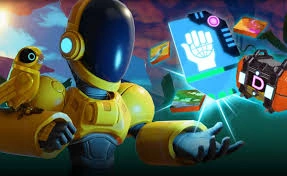
Mines of Dalarnia is a Web3 game that combines side-scrolling exploration with blockchain-based ownership. Players mine resources, upgrade equipment, and explore procedurally generated levels. Certain in-game assets, such as land plots and tools, are represented as NFTs, allowing players to hold them in their own wallets.
The game integrates blockchain technology to support asset ownership and token-based interactions. Mines of Dalarnia has been developed to work with specific blockchain networks, enabling players to connect their wallets directly to the game interface through a web browser.
What Wallets Are Supported?
Mines of Dalarnia supports commonly used Web3 wallets that can connect to decentralized applications (dApps). These typically include:
- MetaMask (browser extension or mobile app)
- WalletConnect-compatible wallets (such as Trust Wallet or similar)
- Other Ethereum-compatible wallets that support the required network
Most players use MetaMask due to its wide compatibility and ease of setup, especially for browser-based games.
Preparing Your Wallet
Before connecting your wallet, a few preparation steps are recommended:
- Install a supported wallet and securely store your recovery phrase offline.
- Add the correct blockchain network to your wallet if it is not already included.
- Fund your wallet with a small amount of the network’s native token to cover transaction fees.
- Update your browser and wallet extension to the latest version.
Basic security practices, such as locking your wallet when not in use, can help reduce risks.
How to Connect Wallet to Mines of Dalarnia
Connecting a wallet allows the game to verify asset ownership and enable blockchain-based features such as NFTs and token interactions.
General steps to connect your wallet:
- Visit the official Mines of Dalarnia website using a trusted link.
- Click the “Connect Wallet” button, usually found in the top navigation area.
- Select your wallet provider (for example, MetaMask).
- Approve the connection request in your wallet pop-up.
- Confirm that the correct account and network are selected.
Once connected, your wallet address will be linked to the game session.
Choosing the Correct Network
Mines of Dalarnia operates on specific supported blockchains. If your wallet is set to the wrong network, the game may not load correctly or may show errors.
Make sure to:
- Check the network required by the game.
- Switch networks directly from your wallet if prompted.
- Avoid manually adding networks unless the information comes from official sources.
Using the correct network helps prevent failed transactions and connection issues.
Granting Permissions Safely
When connecting a wallet, you are asked to grant certain permissions. These usually allow the site to view your wallet address and request transactions.
To stay safe:
- Verify the website URL carefully.
- Review permission requests before approving.
- Decline requests that seem unnecessary or unclear.
Wallets do not require your private keys to connect.
Connecting a wallet to Mines of Dalarnia is a required step for accessing its blockchain-based features. By using a supported wallet, selecting the correct network, and following basic security practices, players can interact with the game more safely. Always verify official links and continue researching independently before engaging with any Web3 application.
[…] with basic equipment and learn the mechanics before deciding whether to engage with NFTs or tokens. Wallet connection is mainly needed for asset ownership, transactions, and marketplace […]
[…] How to Connect Wallet to Mines of Dalarnia […]